Projects, records and findings
Needs a server
Projects, records and findings need zemi or zemi --shared; a static copy cannot show them. The screenshots are of the demo served by zemi --shared.
Projects
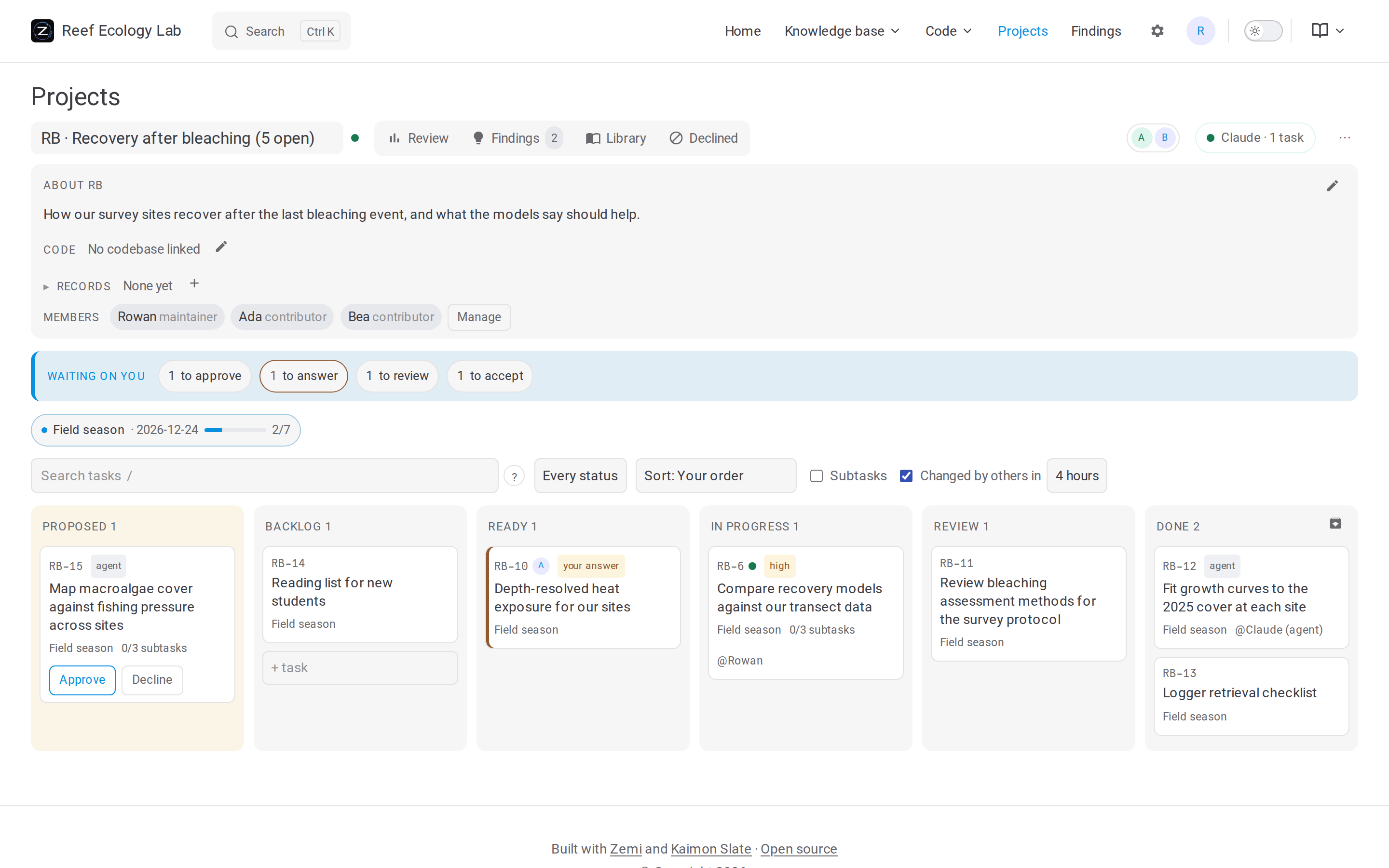
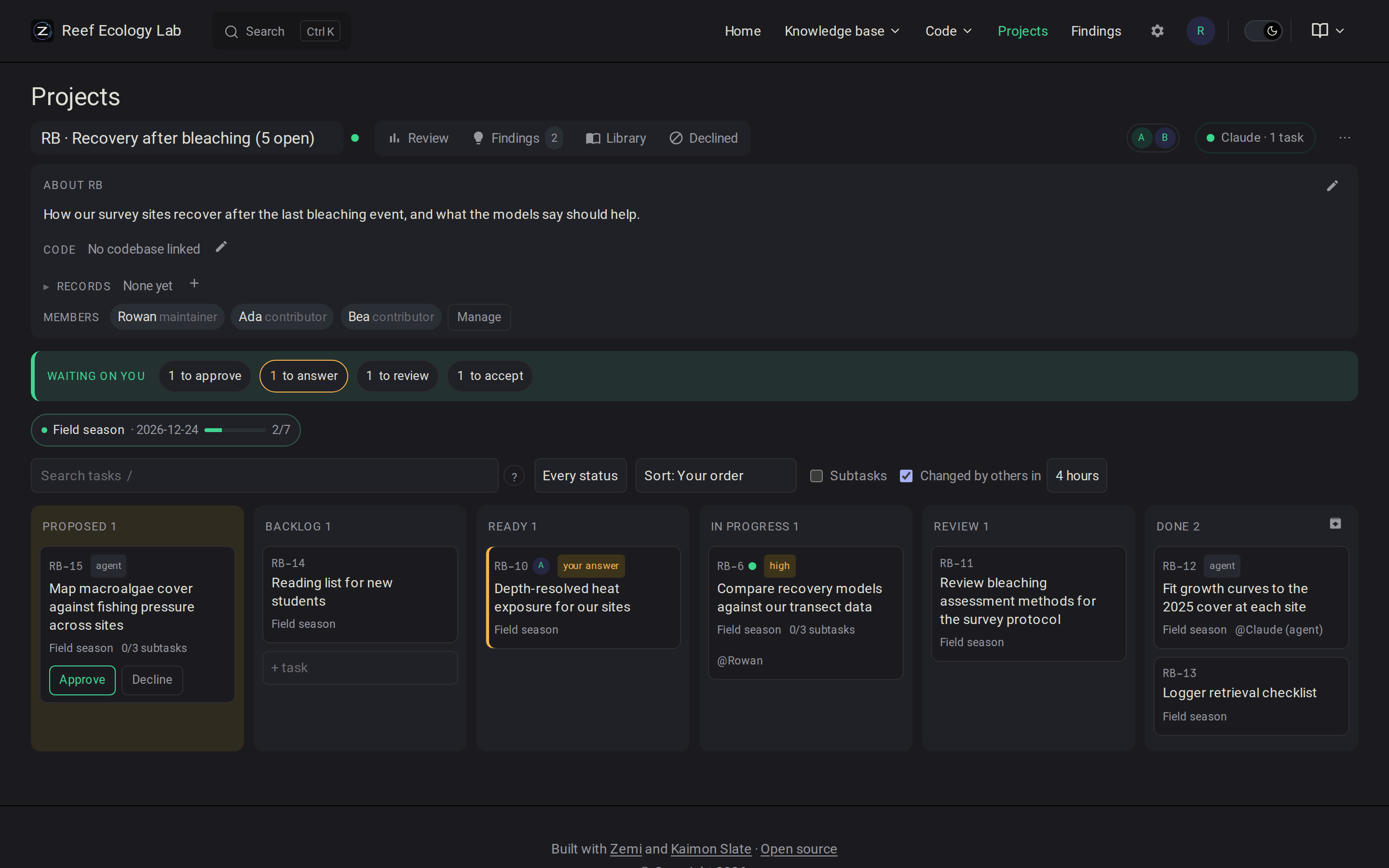
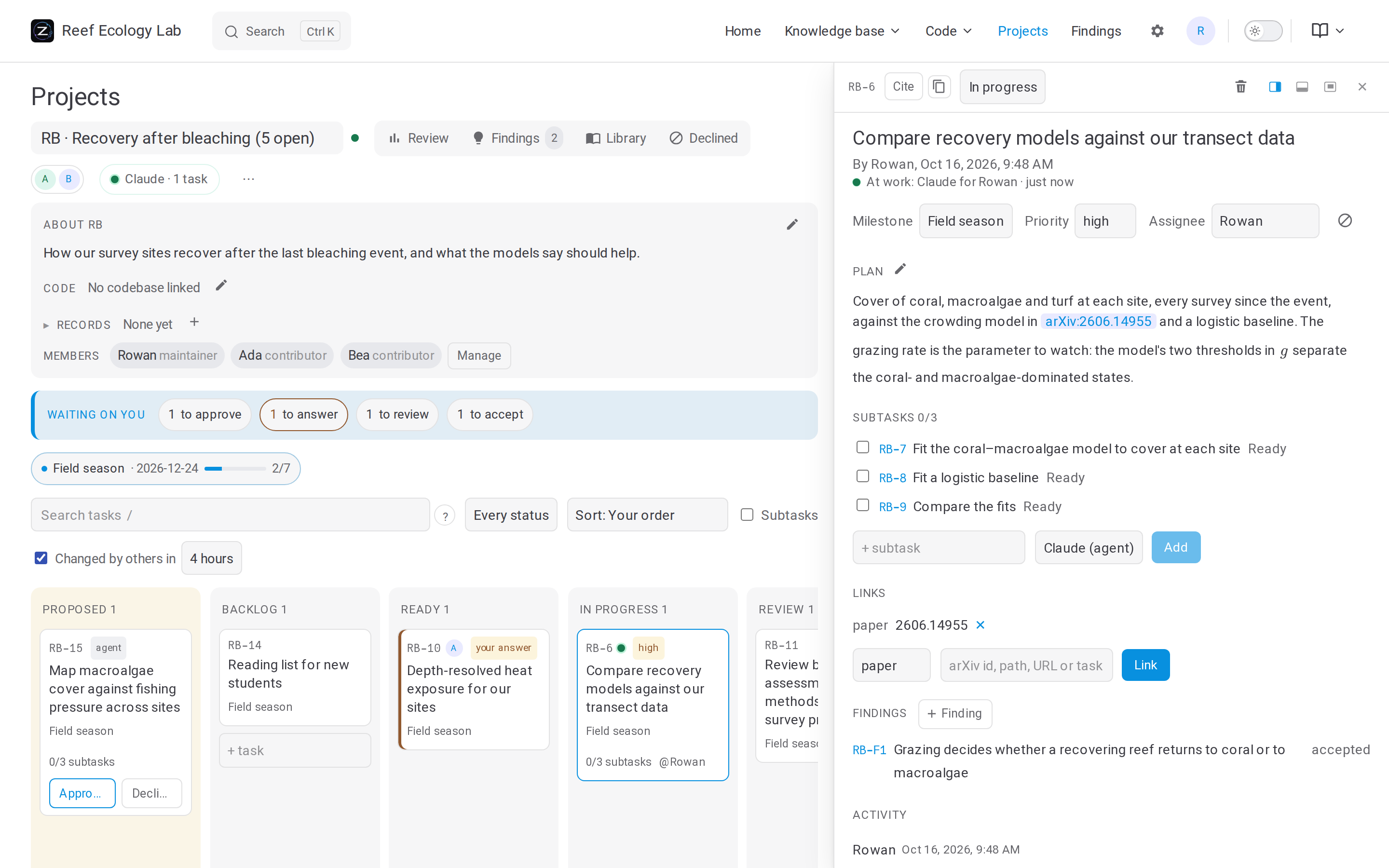
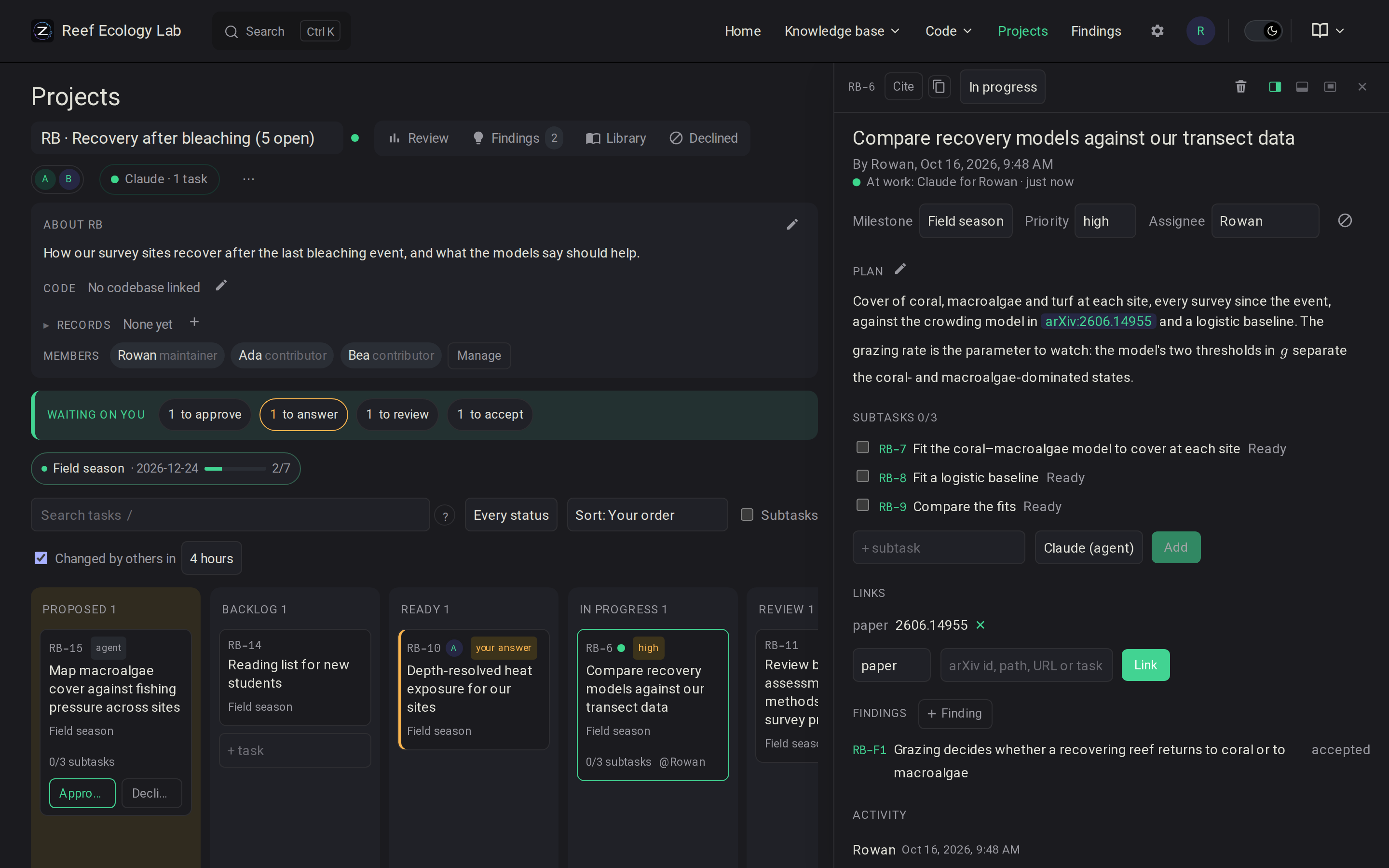
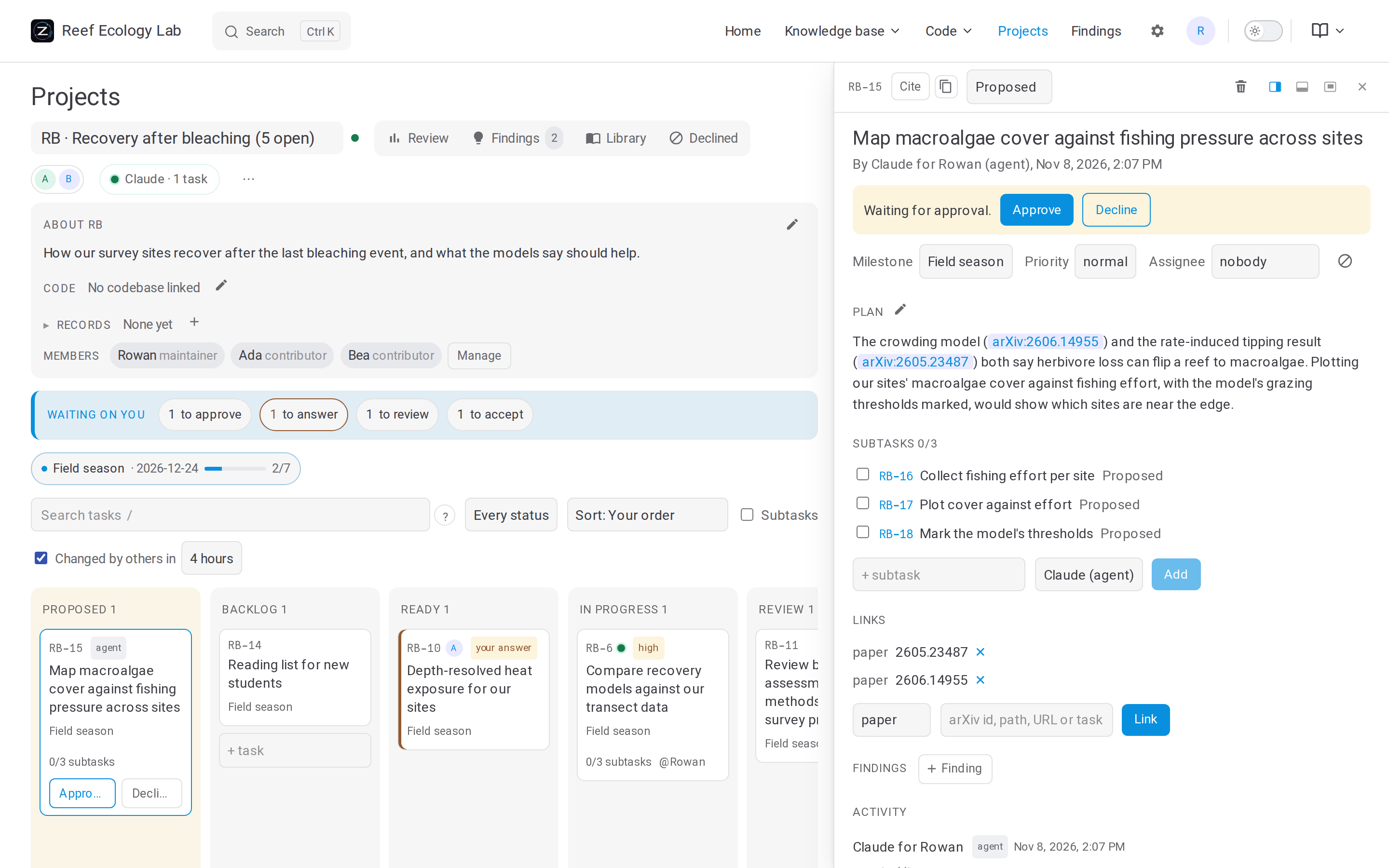
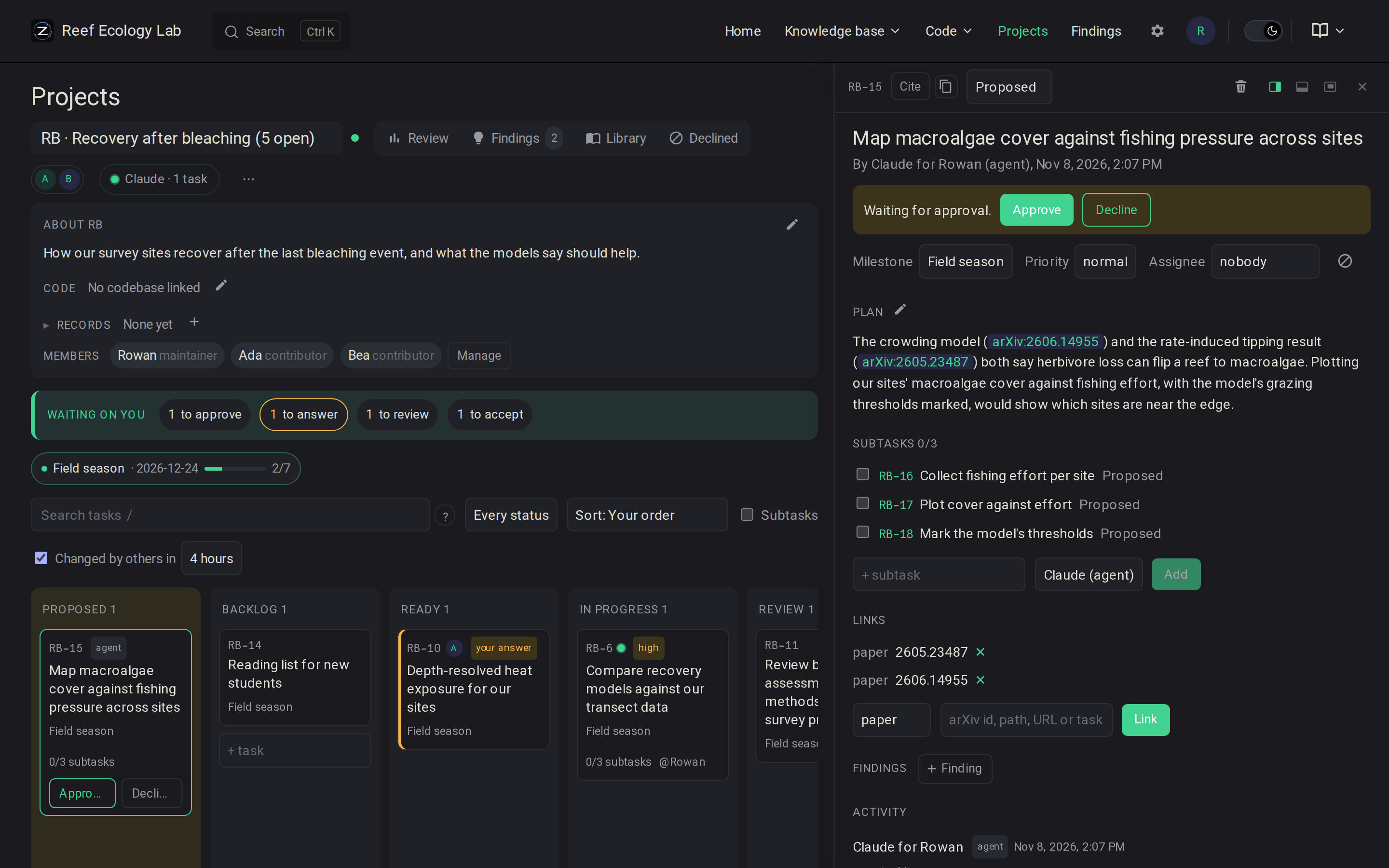
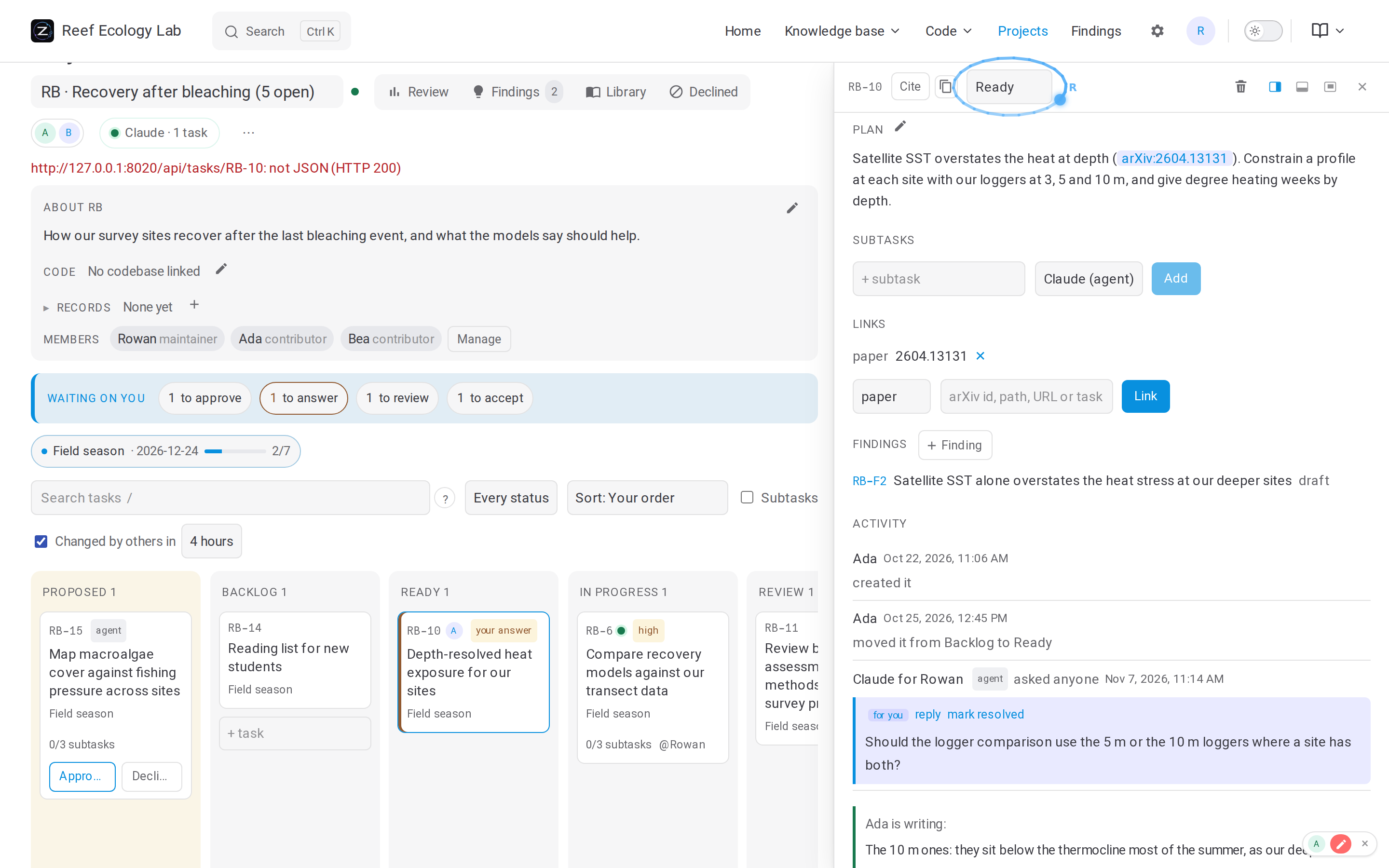
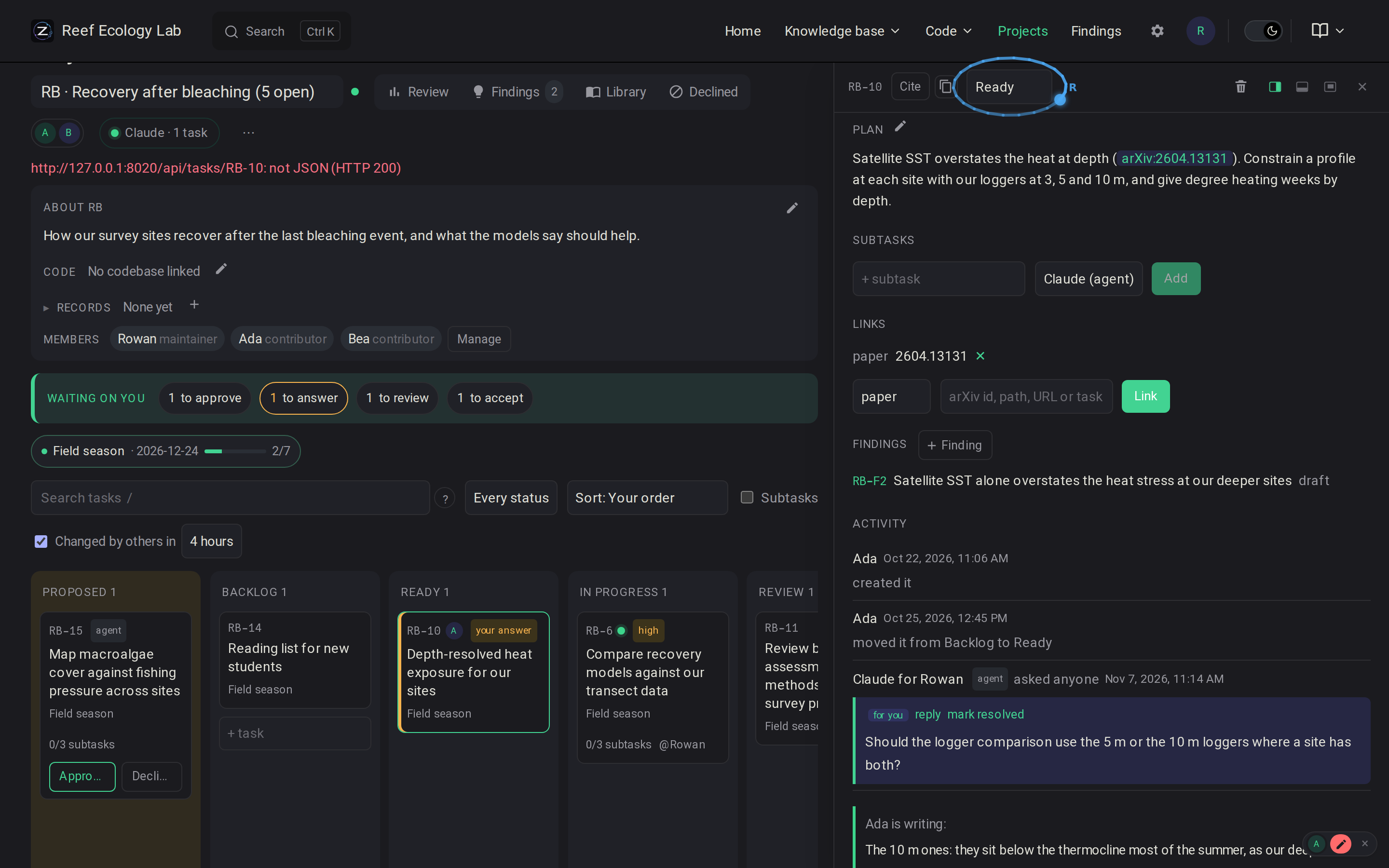
A project has a key, RB, and numbered tasks, RB-1. A task has a Markdown plan, subtasks, a milestone, a priority, an assignee and notes (progress, comments, questions). The board groups tasks by status: proposed, backlog, ready, in progress, review, done.
Each column is in the order its cards were dragged into, with those agents are working on first. The board's Sort sorts every column instead by priority (ASAP first, in the order marked so), by when the milestone is due, by assignee (yours first), by when tasks last changed, or newest first. Cards ranked alike keep the dragged order. The browser keeps the choice. Sorted otherwise, dragging still moves a card between columns or under another task; reordering by hand needs the dragged order.
A card's colours hint at what concerns you: an amber edge and your answer where a question waits on you, a purple edge and answered where your question has an answer, an edge in the board's accent on your own tasks. A blue dot marks a task others changed (people, or agents, yours too): filled for a change since you opened the board, hollow for one within the hours chosen beside the board's sort (4 by default, kept by the browser). Pointing at the dot says who changed it, and when.
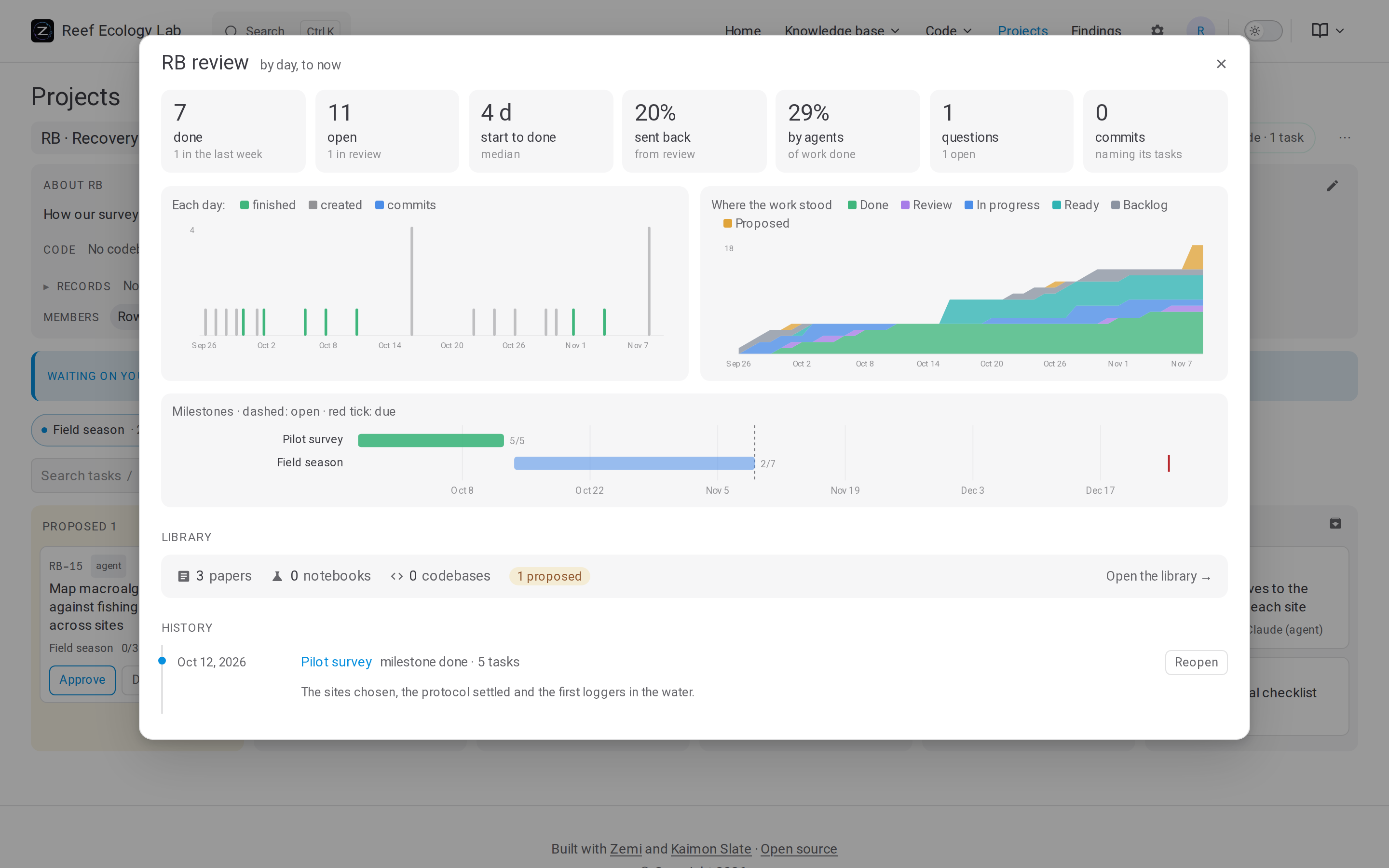
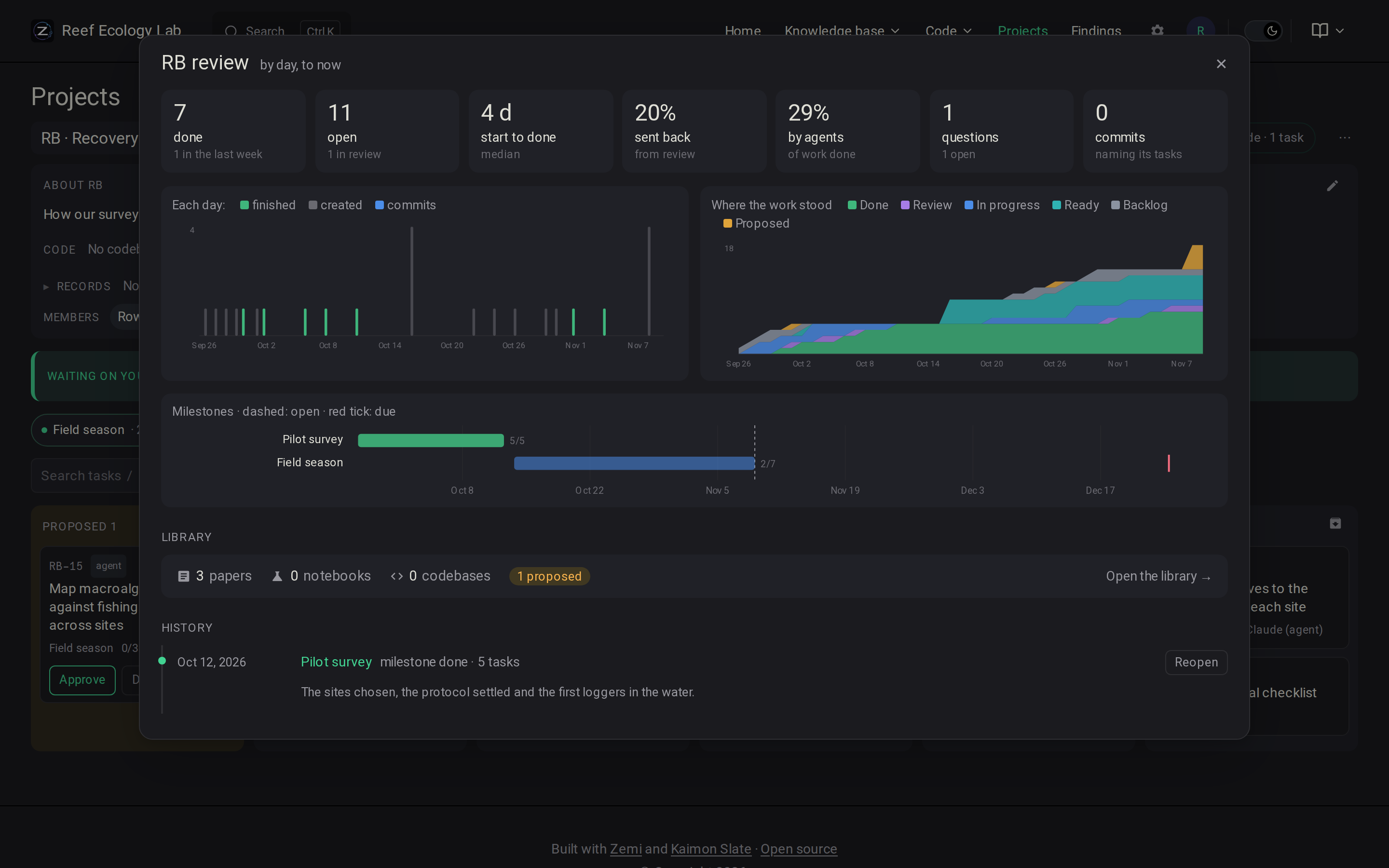
A project's review shows what it finished and when, how long work took from start to done, how much was sent back from review, what agents did, its milestones, and its history.
Agents use the same board through the task tools (Agents and MCP):
An agent's plan arrives as a proposed task.
A person edits it if needed and approves it.
The agent takes it with
next_task, reports in notes, and moves it to review.Questions from agents wait on the task for a person's answer (see Questions).
Questions
A question on a task is asked of one recipient: the agents, a member of the project, or anyone on it. Ask in the task's comment box offers the task's assignee first, then the agents, the other members and anyone. A question waits under Waiting on you → to answer for whoever it is asked of, until they reply or someone marks it resolved.
Reply on a question answers it, or asks a question back. A question asked back waits on whoever asked the first (for an agent's question, the person the agent works for), and the first waits on its answer meanwhile.
A plain comment answers nothing. When a question waits on you, the comment box offers "Answers …'s question", ticked, so a comment can still be the answer.
Replies sit under their question. Its tag says whom it waits on, or that it was answered or resolved.
Answers to your questions, and to those agents asked for you, wait under answered until you write on the task again or mark them resolved.
An agent's question goes to the person it names, else to whoever asked the question it replies to, else to the task's assignee, else to anyone. Agents see the questions asked of them before their next task, each with its note number, and answer with task_note(ref, text; kind="comment", reply_to=note).
A note can be edited (the pencil beside it) by whoever wrote it, by the person an agent wrote it for, and, for any agent's note, by the project's maintainers. Nobody edits another person's notes. Each edit keeps the text it replaced, under the note's edited mark.
Notifications
In the shared service, what newly waits on you can come to your phone or computer as a notification. The site offers them once in each browser to each person signed in; they can be turned on later under Notifications on the account page, once on each device. They come for:
to answer: a question asked of you by name. A question to anyone stays on the board.
answered: an answer to your question.
yours: a task assigned to you.
to approve and to review: plans and work that concern you. These are tasks you created, tasks planned for you by an agent, tasks assigned to you, and tasks an agent working for you worked on.
You choose which of these come. What you did yourself never comes. Nothing comes while you are looking at a board (its window in front), since its Waiting on you shows it. Each comes within half a minute; changes moments apart come together as one notification, and clicking it opens the task.
Android, and Chrome, Edge, Firefox or Safari on a computer: Turn on in this browser.
iPhone or iPad: add the site to the Home Screen (Share, then Add to Home Screen) and open it from there. Then turn them on.
Quiet hours: a phone's or computer's Do Not Disturb or Focus applies to these notifications too.
The browser's push service (Google's, Mozilla's, Apple's or Microsoft's) delivers each notification, encrypted so only that browser can read it. The service signs what it sends with a key of its own, kept in the data folder as push_key.
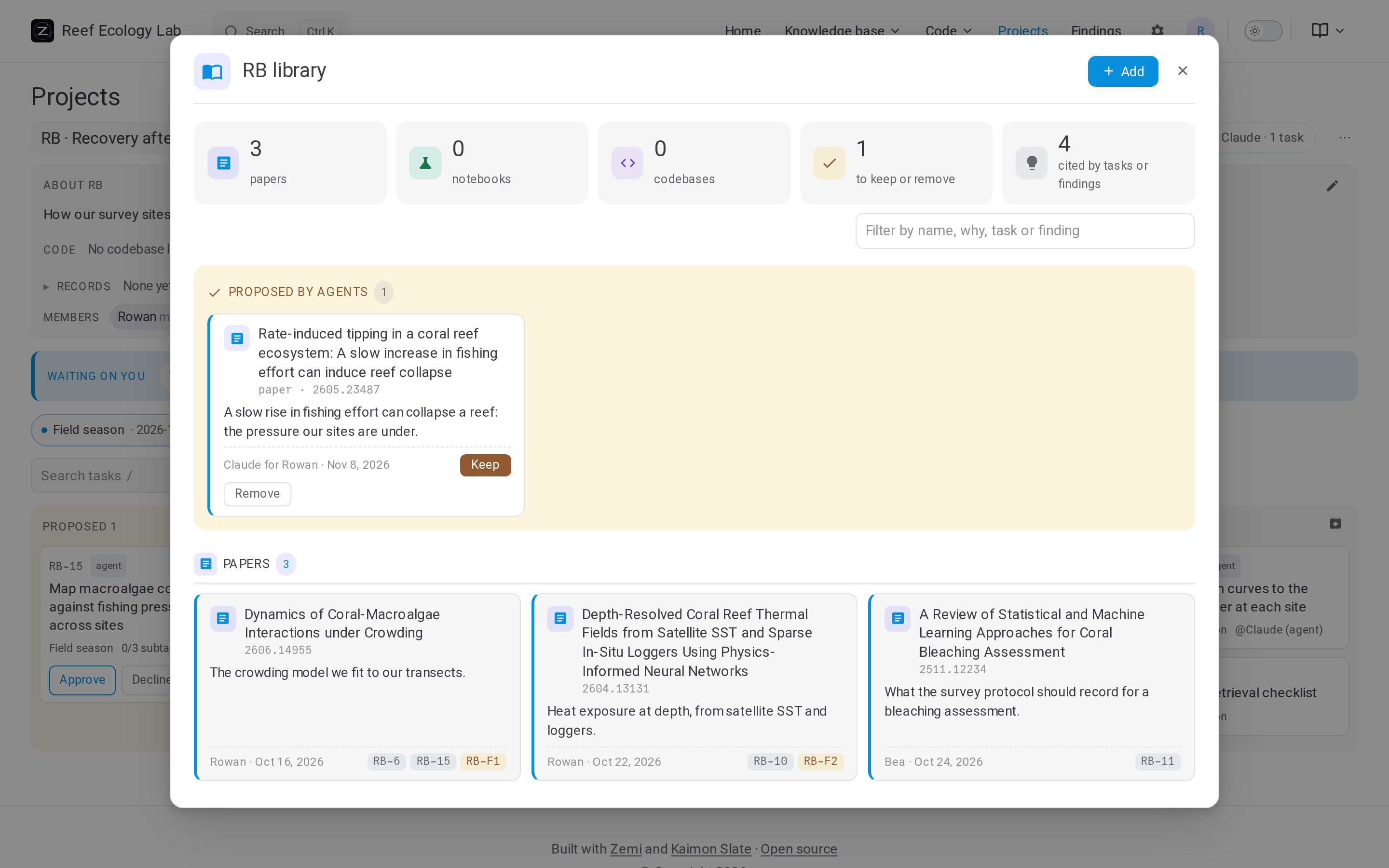
A project's library holds the papers, notebooks and codebases it works from, each with why it matters. An agent's addition is proposed until a person keeps it.
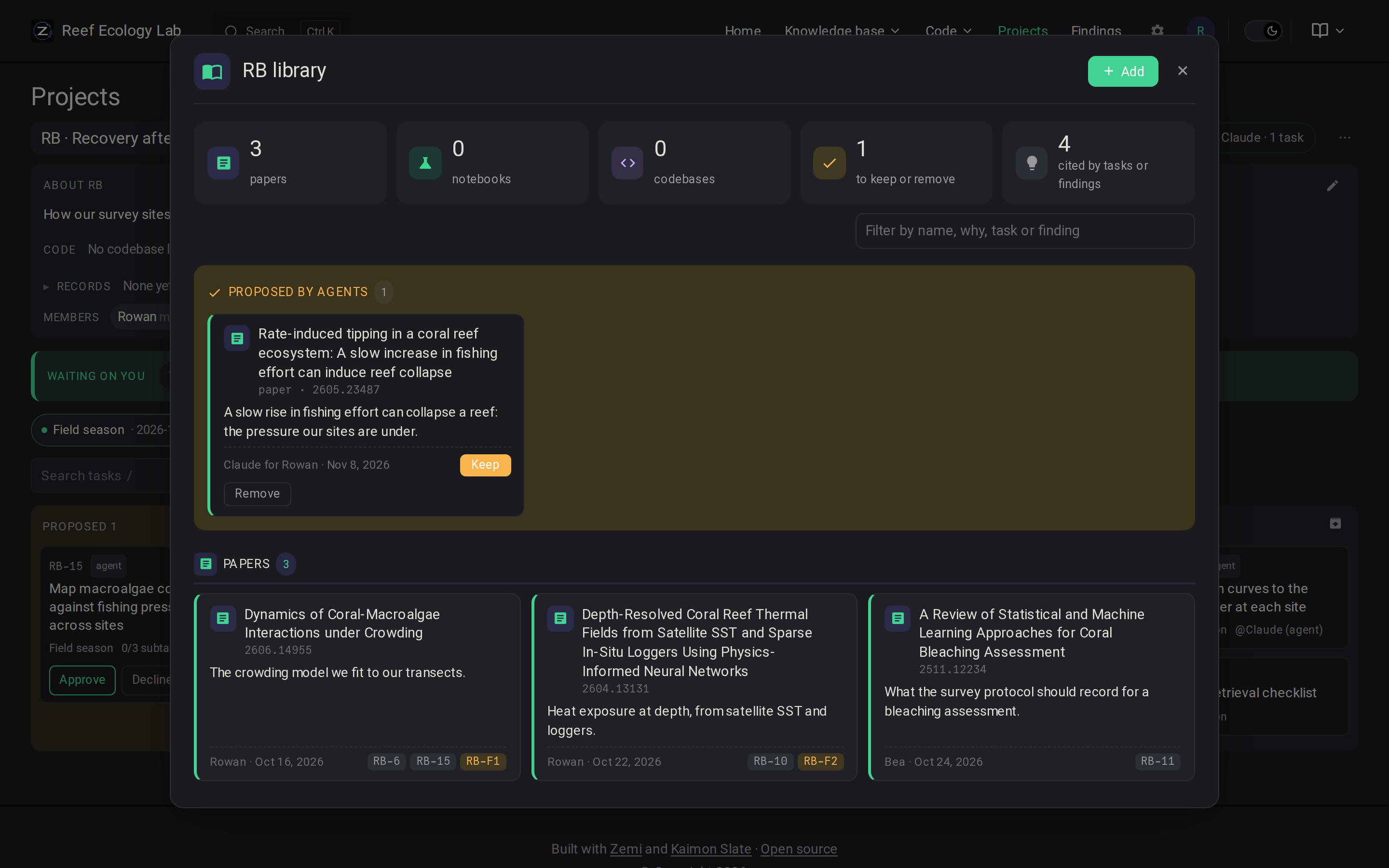
References with @: @RB-12 (task), @arXiv:2401.00001 (paper), @RB-F3 (finding), @doc-… (upload), @rec-… (record), @code:path#name (codebase), and @[label](kind:target) for any kind. In a task they become the task's links; in a finding, its sources.
Each paper, resource, record, finding and task has a Cite button. It shows its @ reference, its address and a Markdown link, and for a document its citation (APA) and BibTeX entry, each to copy. The icon beside it copies the reference.
Working together
In the shared service, a board shows who else has it open, as initials in its header, and what people did on its tasks lately. Each person chooses how much of themselves others see, in the people menu:
Hidden: nothing.
Here (the default): that they are on the board.
Planning: also the task they have open, what they are writing on it, and what is in view, so others can follow them through a planning session instead of sharing a screen. A follower's board opens what they open and scrolls to what they look at.
Those in a session, whoever is planning and those following them, can point and draw for each other with the pen (the toolbar in the window's corner, or P); what they draw fades in a moment.
When a project has a codebase, a commit naming a task is recorded on it: on a trailer line (Tasks: RB-12, or Task:, Refs:) or after Part of, as its work; anywhere else, as a mention. A new commit that says Fixes, Closes, Resolves or Implements RB-12 also moves the task to review, if it is in progress and has not moved since. The first reading of a repository only records.
Records
A record is the group's own record of its work, usually a meeting: a title, a date, the people in it and its text, with screenshots in place and a transcript where its source has them. Records come from sources: Markdown notes uploaded on a project's board, and plugins that read another system, such as a tool that writes meetings up from their recordings (see Extensions). Each record carries its source's label, saying how it was made. A record handed in again replaces its content and is read again; it keeps its id, its projects and the findings that cite it.
A record is searched, read and cited like any document, and given to agents and the tutor, who are told what it is: what people said, not what is established. Its summary says what was discussed and decided, what is open, and who is to do what. It is never one of the papers: it is not in the lists of papers, the landscape, the bibliography or the dataset.
Every record says how it was made and when, on its page, in search results and in what agents read. A new record is seen only by those who manage documents, until one of them links it to a project on its page or the Documents page; then the project's members see it. They may also open it to every reader. Run for one person, every record is theirs. The Records page lists those the reader may see, and a project's board its own. Records are never built into the site: the service shows their pages.
Resources and Zotero
A resource is something the group uses or cites without reading it in full: a data set, a data portal, a news report, a law, or a book or paper with no copy to read. It has a title, authors, a date, its type, a link and a note, and is found by search, cited as @res-…, kept in project libraries and listed on the Resources page. It is not summarized. In the bibliography (zemi bib) it is the entry its type calls for: an article in its journal or newspaper, a book, a chapter, a report of its institution, and anything else a misc naming where it appeared and when it was accessed.
A Zotero group's library is kept in step with the knowledge base by the Zotero source:
[sources.zotero]
groups = { 6748949 = "RB" }       # a group's id, and the project whose library keeps its items ("" for none)
# key = "file:/srv/zemi/.config/zemi/zotero"   # an API key, for a group that is not public
# prescreen = false                # leave items to their Zotero types
Zotero's types are often wrong: a data set or a news story filed as a document, a data set as a journal article. So the summarizer first sorts each new or changed item as a paper, a resource (and of which type), a codebase, or nothing to bring in. An item it is unsure of comes in proposed in the project's library, with its reason, for a person to keep or drop.
Each hour it reads the items changed since its last run. A work with a DOI comes in as a paper when a copy can be read: its arXiv copy (which OpenAlex knows, or a search of arXiv by its title finds), else an open PDF OpenAlex points to. A link to a repository on a code host becomes a codebase. Everything else, and a paper with no copy to read, is a resource; upload its PDF to read it in full. Items that are the same work (the same DOI, or the same title) come in once, and one dropped here is not brought in again.
Dropping a document
Drop a document on the Documents page, with a reason if you like, and it is removed and kept out. No source brings it back: not the Zotero library, a record source, a dataset pull or the arXiv watch. Adding it by hand tells you who dropped it and why, and lets you add it anyway. The dropped view lists what is kept out; restoring one lets its source bring it back on its next run.
Findings
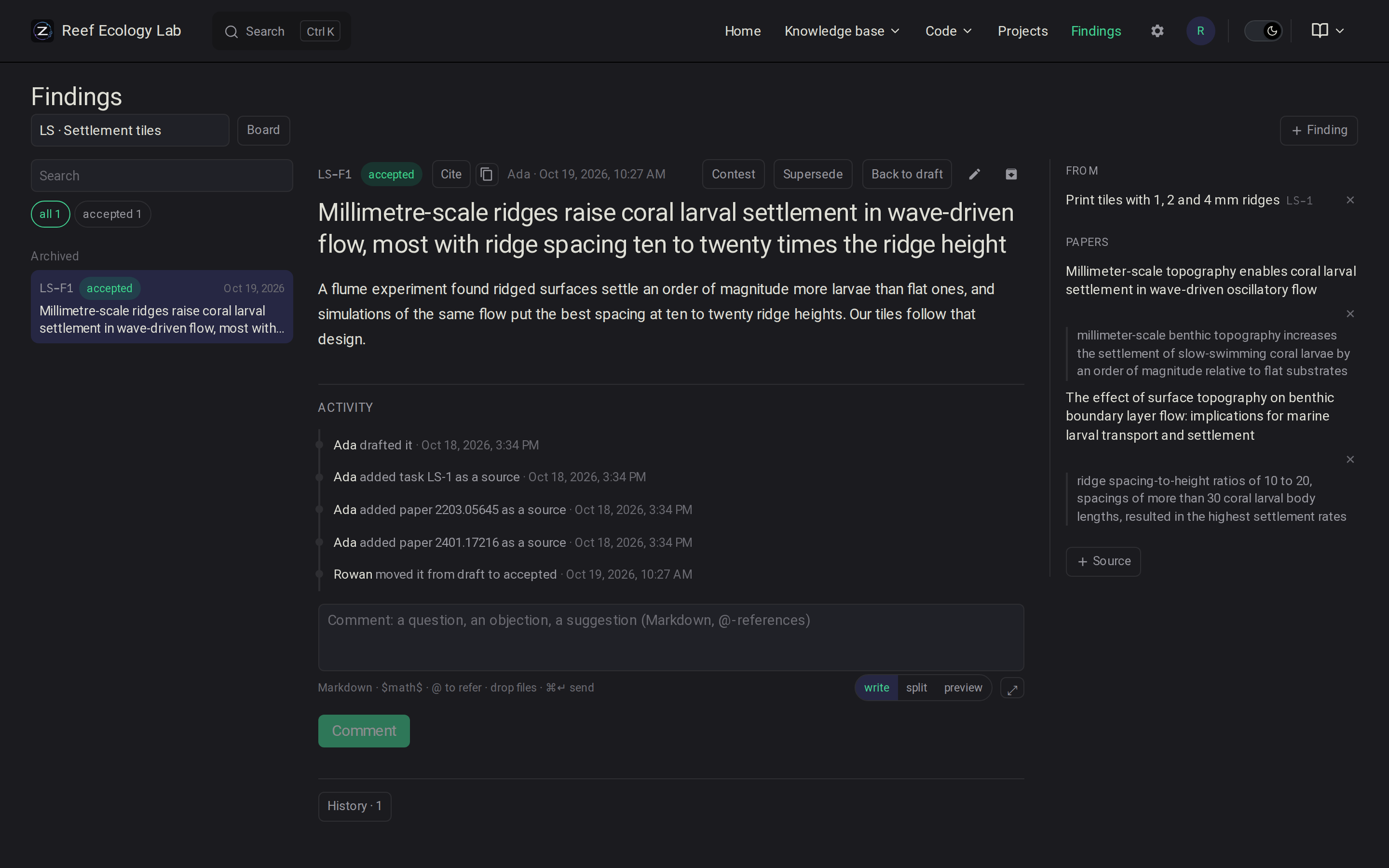
A finding is a claim, a Markdown write-up, and its evidence: papers (with the quoted passage), records, notebooks, code, results, tasks and other findings. Agents draft them; people accept, contest or supersede them. Every version is kept. A paper's or record's page lists the findings that cite it; a record that changes marks them for a second look.